breakpoint.
Ghoori Learning

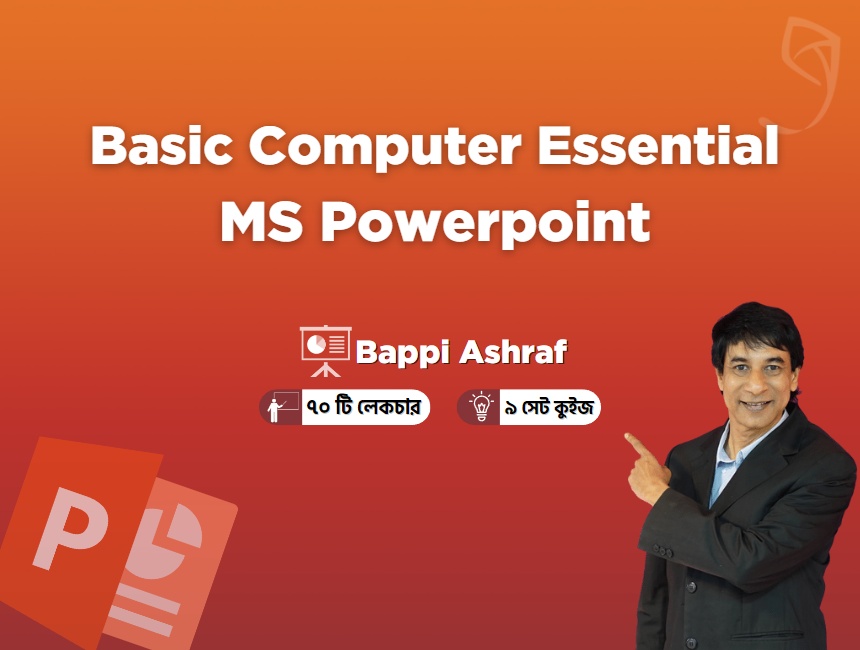
Basic Computer Essential (Part 3): Microsoft PowerPoint, Internet & Google Docs

  • Bangla
  • Recorded
  • Certificate
Duration
10 hr 59 min
Lessons
70
Language
Bangla
Format
Recorded
Enrolled
120 learners
Certificate

About this course

MS Office-এর বিপুল জনপ্রিয় ও ভীষণ দরকারি Program হচ্ছে Microsoft PowerPoint. তাই আপনি যদি Graphics Design, Animation, Data Visualization বা Video তৈরি করতে চান তবে আপনার Microsoft PowerPoint-এর ভালো কোন বিকল্প নেই। এছাড়া বাড়তি হিসেবে Internet, Google Docs, Sheet & Presentation তো থাকছেই। তাই Ghoori Learning নিয়ে এলো "Basic Computer Essential (Part 3): Microsoft PowerPoint, Internet & Google Docs" নামের…

Short excerpt from Ghoori Learning's course page.Read the full description on Ghoori Learning

This fee next to other courses

  • 5 of 27 paid MS Office courses by fee (1 = cheapest)
  • Median fee for MS Office courses: ৳549 · This course: ৳500
  • A cheaper course in the same language: MS Word for Professionals · BYLCx · ৳100

Based on the 29 courses listed here.Compare all MS Office courses

Fee history

Listed here since 19 Oct 2026; the fee has not changed in that time.

Course outline

79 lessons

  1. 1লেকচার ১ (Introduction and Make Slide in MS PowerPoint)11 min
  2. 2লেকচার ২ (PowerPoint introduction to Amimation and Transition)8 min
  3. 3লেকচার ৩ (PP Mini Toolbar and New File and Slide Final)7 min
  4. 4লেকচার ৪ (PowerPoint Navigation)9 min
  5. 5লেকচার ৫ (PowerPoint Slide Size Change)7 min
  6. 6লেকচার ৬ (PP Text Formatting Details)18 min
  7. 7লেকচার ৭ (PowerPoint WordArt)11 min
  8. 8লেকচার ৮ (PowerPoint Shape Fill Color)12 min
Show all 79 lessons
  1. 9Quiz -1
  2. 10লেকচার ৯ (PowerPoint Shape Outline Options)10 min
  3. 11লেকচার ১০ (PP Picture Clipart Line Art Cutout)11 min
  4. 12লেকচার ১১ (PowerPoint Text Box Properties)7 min
  5. 13লেকচার ১২ (PowerPoint Various Shape with text)11 min
  6. 14লেকচার ১৩ (PP Object Align Rotation Grouping)14 min
  7. 15লেকচার ১৪ (Ruler, Gridlines and Guide)5 min
  8. 16লেকচার ১৫ (PowerPoint Gradient Tool)15 min
  9. 17লেকচার ১৬ (Theme and Background)5 min
  10. 18Quiz -2
  11. 19লেকচার ১৭ (PowerPoint Image Editing)12 min
  12. 20লেকচার ১৮ (More Image Editing and Shape editing)12 min
  13. 21লেকচার ১৯ (PowerPoint Shape Corner Point)12 min
  14. 22লেকচার ২০ (Eye Dropper Tool)4 min
  15. 23লেকচার ২১ (PowerPoint Image Background Remove)4 min
  16. 24লেকচার ২২ (PowerPoint Transparency)6 min
  17. 25লেকচার ২৩ (Table)9 min
  18. 26লেকচার ২৪ (PowerPoint Chart and Graph)15 min
  19. 27Quiz -3
  20. 28লেকচার ২৫ (PP Use and Create Unique Icon)7 min
  21. 29লেকচার ২৬ (PowerPoint Marge Shape)15 min
  22. 30লেকচার ২৭ (PowerPoint Screen capture)8 min
  23. 31লেকচার ২৮ (PowerPoint Keyboard Shortcut)8 min
  24. 32লেকচার ২৯ (PowerPoint Use of 3d Models)7 min
  25. 33লেকচার ৩০ (How to save file as Image, Pdf and Template)12 min
  26. 34লেকচার ৩১ (Language Translate Tool)6 min
  27. 35লেকচার ৩২ (PowerPoint Video Screen recording)11 min
  28. 36Quiz -4
  29. 37লেকচার ৩৩ (PP Basic Animation)14 min
  30. 38লেকচার ৩৪ (Basic Animation and Animation Painter)16 min
  31. 39লেকচার ৩৫ (Transition)11 min
  32. 40লেকচার ৩৬ (PP Insert audio and add animation)8 min
  33. 41লেকচার ৩৭ (PP Insert Video with logo and animation)9 min
  34. 42লেকচার ৩৮ (PowerPoint Final Video Making)8 min
  35. 43লেকচার ৩৯ (Slide Master)7 min
  36. 44লেকচার ৪০ (Add Notes on Slides)5 min
  37. 45Quiz -5
  38. 46লেকচার ৪১ (Handout print)6 min
  39. 47লেকচার ৪২ (How to record & edit Live Audio on PowerPoint - Part 1)10 min
  40. 48লেকচার ৪৩ (How to record & edit Live Audio on PowerPoint - Part 2)10 min
  41. 49লেকচার ৪৪ (Add Action Button to open Slide and External File)10 min
  42. 50লেকচার ৪৫ (Spelling and Thesaurus)10 min
  43. 51লেকচার ৪৬ (Smart Art Edit and add animation)10 min
  44. 52লেকচার ৪৭ (Add and Show Comments)6 min
  45. 53লেকচার ৪৮ (Add, Navigate and Delete Section)4 min
  46. 54Quiz -6
  47. 55লেকচার ৪৯ (Find And Replace)6 min
  48. 56লেকচার ৫০ (Font Download)7 min
  49. 57লেকচার ৫১ (How to create font embedded to use broken Font)7 min
  50. 58লেকচার ৫২ (Font Replacement)6 min
  51. 59লেকচার ৫৩ (Slide Show Details)13 min
  52. 60লেকচার ৫৪ (Hyperlink Details)8 min
  53. 61লেকচার ৫৫ (File Protection with password)9 min
  54. 62লেকচার ৫৬ (Cartoon Animation)9 min
  55. 63Quiz -7
  56. 64লেকচার ৫৭ (Intro Video Making)14 min
  57. 65লেকচার ৫৮ (Infographics)12 min
  58. 66লেকচার ৫৯ (Reuse Slide)5 min
  59. 67লেকচার ৬০ (Customize Interface)4 min
  60. 68লেকচার ৬১ (Word File Import and Wrapping Text)4 min
  61. 69লেকচার ৬২ (Photo Album)5 min
  62. 70লেকচার ৬৩ (Business Card)16 min
  63. 71লেকচার ৬৪ (Cover Design)12 min
  64. 72Quiz -8
  65. 73লেকচার ৬৫ (Letter Head Design)10 min
  66. 74লেকচার ৬৬ (Poster Design)9 min
  67. 75লেকচার ৬৭ (PowerPoint Complete animation - Part 1)14 min
  68. 76লেকচার ৬৮ (PowerPoint Complete animation - Part 2)14 min
  69. 77লেকচার ৬৯ (Internet google drive docs sheets and presentation - Part 1)10 min
  70. 78লেকচার ৭০ (Internet google drive docs sheets and presentation - Part 2)12 min
  71. 79Final Assessment

What's included

  • MS PowerPoint এর Beginner থেকে Advance লেভেলের টেকনোলজি জানতে এই কোর্সটি দিয়ে শুরু করুন।
  • Microsoft PowerPoint এ নতুন-পুরাতন সবার জন্য এই কোর্সটি দক্ষতা অর্জনে সহায়ক হবে।
  • MS PowerPoint- এর PowerPoint Navigation, PowerPoint Gradient Tool, Theme and Background ইত্যাদি বিষয়ে বিস্তারিত আলোচনা করা আছে এই কোর্সে।
  • কোর্সের শেষ লেকচারের সাথে থাকছে সম্পূর্ণ কোর্সের উপর ১টি Reading Material.
  • কোর্সে রয়েছে মোট ৮টি Quiz এবং কোর্সের শেষে রয়েছে ১টি Final Assessment.
  • কোর্স শেষে পাচ্ছেন Ghoori Learning এবং আমাদের এক্সপার্টের পক্ষ থেকে Microsoft PowerPoint এর উপর একটি Certificate.

Instructors

  • Bappi Ashraf

    Bappi Ashraf মূলত একজন কম্পিউটার বইয়ের লেখক। কম্পিউটারের বিভিন্ন কাজের মাধ্যমে তিনি তার কর্মজীবন শুরু করেন এবং "Nova Computer" এর স্বত্বাধিকারী হিসাবে নিজস্ব টেনিং সেন্টারসহ বিভিন্ন প্রতিষ্ঠানে ট্রেনিং দিচ্ছেন প্রায় ২৩ বছর ধরে। এরই ধারাবাহিকতায় বাপ্পি আশরাফ এর বই সমূহের প্রায় সবগুলিই কম্পিউটার সংক্রান্ত বিভিন্ন বিষয় নিয়ে রচিত। তিনি তার প্রথম কম্পিউটারের বই লেখেন ২০০১ সালে Video Editing (Adobe Premier)-এর উপর। এখন আইটি বিয়য়ে তার বইয়ের সংখ্যা হল মোট ৩৭টি। এর মধ্যে "মাস্টারিং এক্সেল", "কমপ্লিট এডোবি ফটোশপ", "ওয়েব পেজ ডিজাইন (HTML) কম্পিউটারে হাতেখড়ি" ইত্যাদি উল্লেখযোগ্য। এছাড়া বাংলাদেশ সরকারের একাধিক মন্ত্রণালয় এবং বাংলাদেশ কম্পিউটার কাউন্সিলের একাধিক Course Materials-ও তৈরী করেছেন তিনি। তাছাড়া একজন অভিনেতা ও আবৃত্তিকার হিসেবেও তিনি বেশ সুপরিচিত।

Details in this part come from Ghoori Learning's course page.

5 similar courses